Choose a story they will enjoy
Browse books for children and teens
Each child has their own profile

A little help for beautiful handwriting
Turn stories they love into handwriting practice
Print a page or let them write on iPad with Apple Pencil
For iPhone and iPad
Start with 3 free PDFs and one profile
You choose the starting point
Penori keeps the practice pages together
Add your child then choose a story and a handwriting style
Print the PDF or open it on your shared iPad with Apple Pencil
Save a photo or review their iPad writing
Feedback and grades are optional
Prepare the next passage when you are ready
Penori remembers your place
No printer needed
Your child can write directly on the practice page with Apple Pencil
One shared iPad is enough
A story worth coming back to
Alice in Wonderland and other classics
The Holy Bible in the American Standard Version
Or spelling words and a passage you paste yourself
Change the book or handwriting style whenever you like
Browse books for children and teens
Each child has their own profile
Print or joined cursive
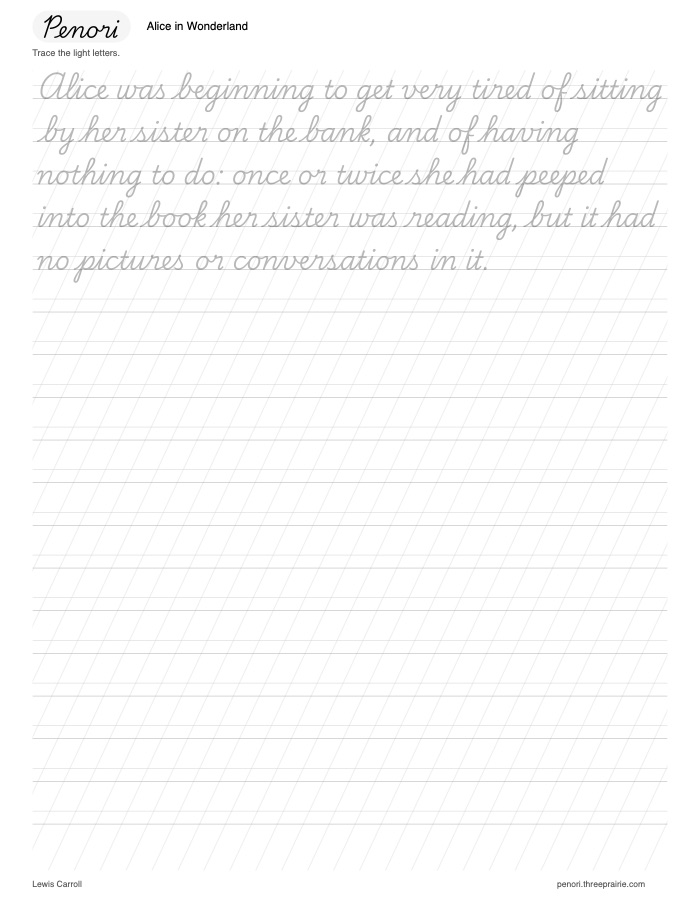
Trace the light letters or copy underneath
Try a free Alice in Wonderland page before you download the app
Add your child and choose a book in the app to keep the story going
A helping hand when you want one
Start with writing
Add these extras when they help your family
Send the current PDF now or set a delivery schedule so your child can open it without your phone
Photos attach to the lesson for you to review
Use the upload button rather than replying with attachments
Look back at saved work and add your own notes or a grade when you have time
Choose letter grades or a five point scale
A simple guide helps you know what to look for
You decide the grade
Photos and grading are always optional
We are here to help
Contact support
No. Choose paper practice with a printer and a pen or pencil, or write directly on a compatible iPad with Apple Pencil. Your iPhone prepares and manages pages but is not a handwriting canvas.
Yes. Open your child’s profile on the shared iPad for writing, then use that same iPad to review the work. Editable handwriting is saved locally on that iPad. It does not automatically sync as editable ink to another device.
Both. Choose a handwriting style, then trace the light letters or copy on the blank line below. You can change the style and notebook settings for the next PDF without losing your place in the book.
Choose a 5, 10, 15 or 20 minute target. Penori uses the chosen writing pace to size the passage. It is an estimate, not a timer or a promise that every child will finish in exactly that time.
No. Photos, notes and grades are optional. You can simply prepare the page, let your child write and continue with the next passage when you are ready.
You can send a saved PDF manually or schedule delivery of the current prepared PDF. Your child uses the Send work photos button in the email to upload their work. Those photos attach to that lesson in your account. Email replies with attachments are not the upload method. You decide when to prepare the next passage.
The website sample is free with no sign-up. The app includes one profile and 3 new PDFs in total without a subscription. Saved PDFs can be printed again. Premium supports one profile and Family supports up to four. See what the plans include.
Premium and Family are available in the app with weekly, monthly and yearly options. Apple shows the price and billing period before you confirm a purchase. Paid subscriptions renew automatically until canceled. Manage or cancel them in your Apple Account settings.
No. Penori gives your family practice material and tools for writing and reviewing. It does not automatically correct your child’s handwriting or guarantee a particular result.
Editable iPad handwriting stays on the iPad where it was created. Work photos you upload and account-linked reviews are stored in your Penori account. See our privacy policy for details.
Their first page starts with you
A favorite story and a little time together
Download on the App StoreFor iPhone and iPad
3 free PDFs and one profile to get started